Parfait

Stop scheduling your
to-do list. Start ranking it.

Parfait is a single list for the Mac, ordered by what actually matters today — not a due date you made up to satisfy the app. Coming soon to the Mac App Store.

Draw the line on today.

Everything is one ranked list — no due dates, no projects to set up. The Focus line is a divider you drag through it: everything above is today's work, everything below can wait. Plans change; drag a task up, drag the line down, and you're re-planned in a second.
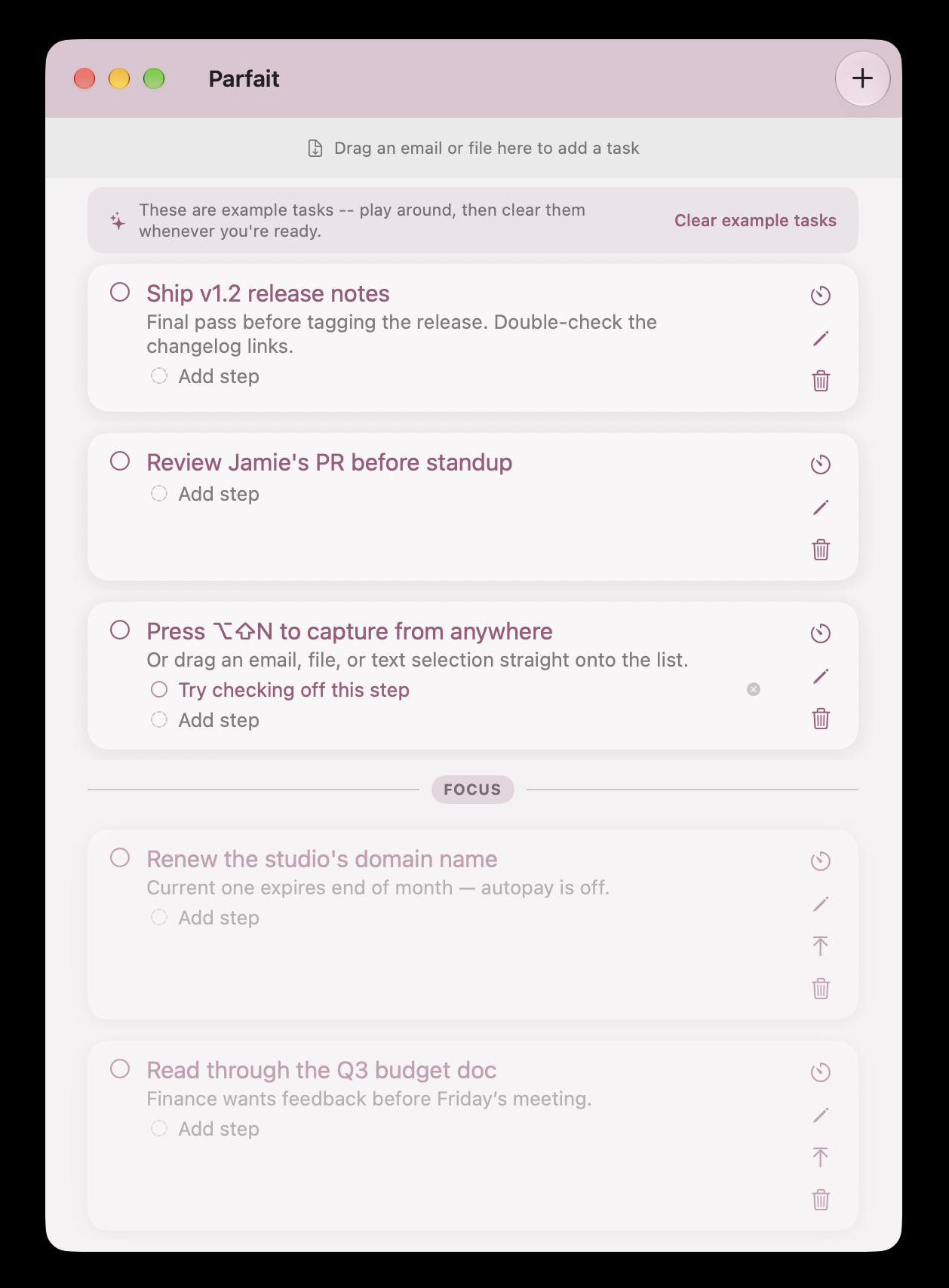

Parfait's main task list with the Focus divider separating today's tasks from someday

Catch it from anywhere.

Press ⌥⇧N in any app and a small capture field appears over whatever you're doing. Type the thought, hit Return, and it's in your list — you never switch windows or lose your place. Drag an email, a file, or a text selection onto the list to do the same thing.

Parfait's quick-capture field, summoned over the desktop with a keyboard shortcut

Today's list, one click away.

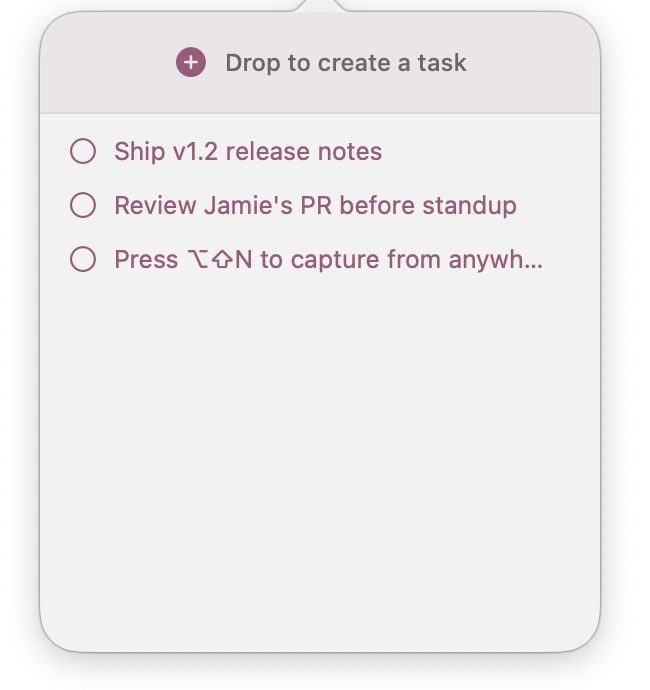
Parfait lives in your menu bar. Click the icon for a glance at what's above the line, or drop a file onto it to turn it into a task. Your list is there when you want it, and out of the way when you don't.

Parfait's menu bar popover showing today's focused tasks

Give one task your whole mind.

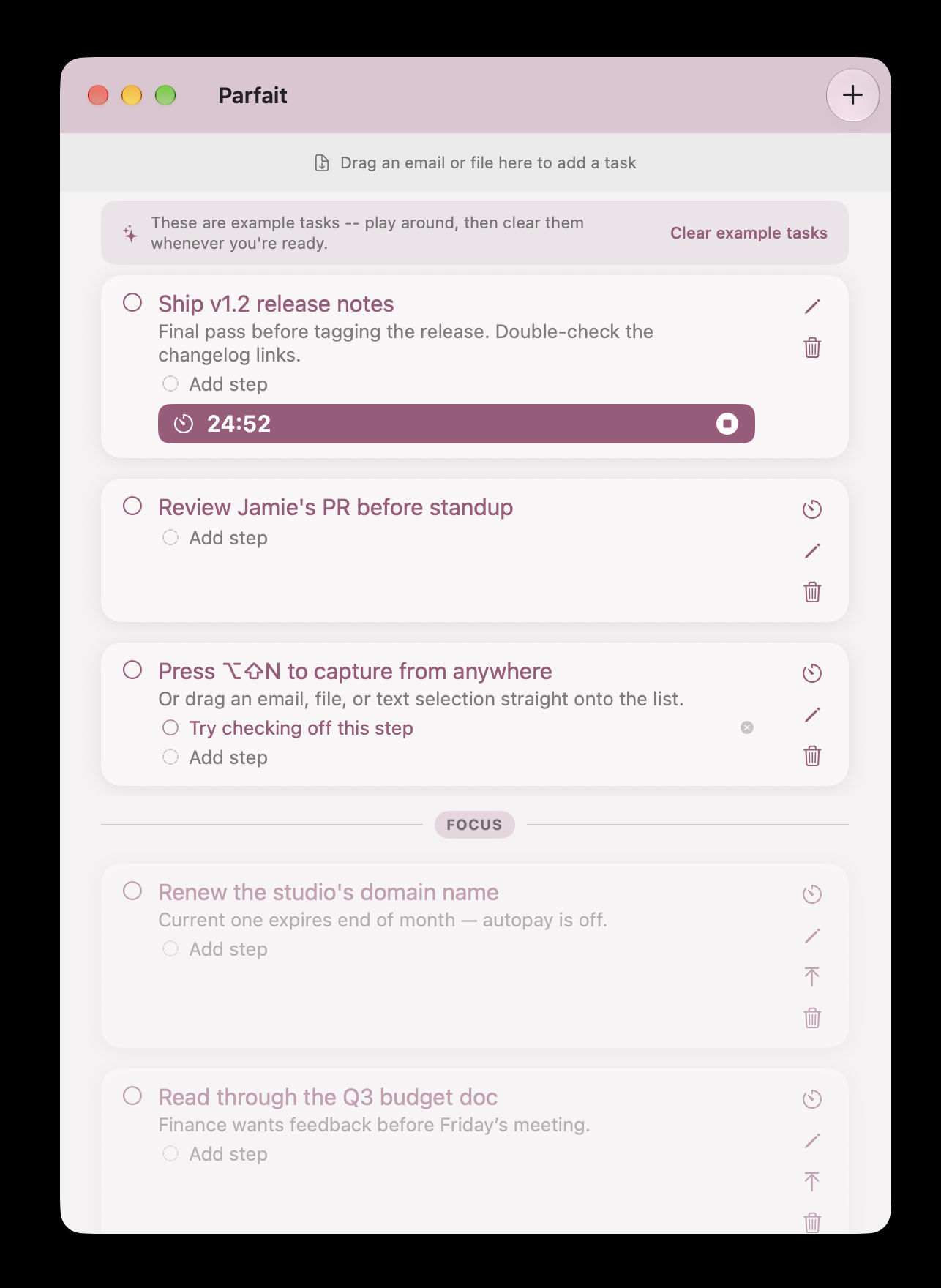
Start a focus session on any task, right from its card. The timer runs on the card itself, counting down in place, so you always know how long you've been at it without opening a separate app.

A task card in Parfait with a running focus-session timer

Nine flavors.

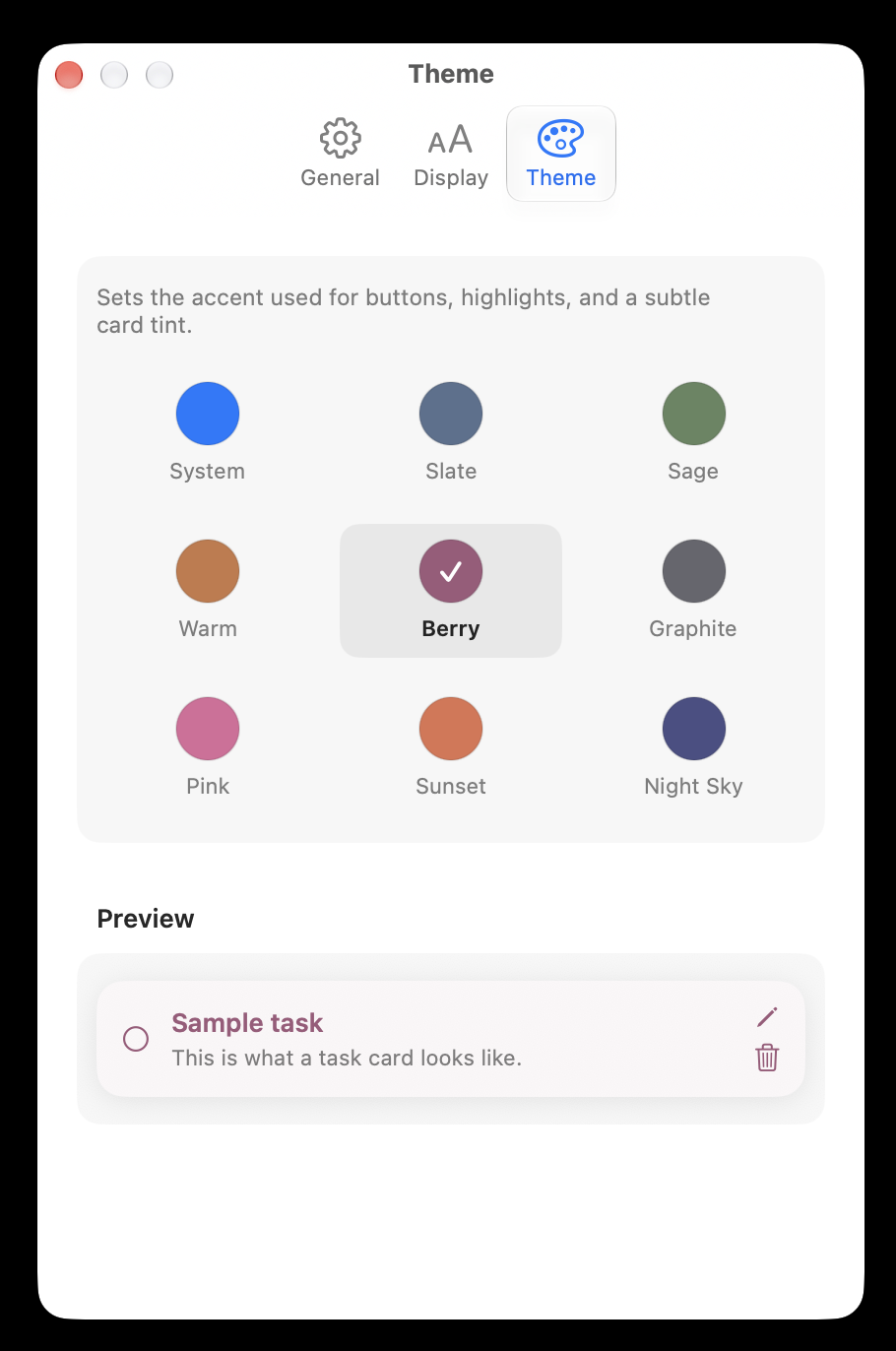
Pick an accent theme and it carries through every card, the Focus line, and the title bar — from Berry and Sage to Sunset and Night Sky.

Parfait's theme settings with nine accent color options

Ready when you are.

Leave your email and you'll hear the moment Parfait is live on the Mac App Store. Nothing else.